
Rewind your screen.
Replay Instantly.
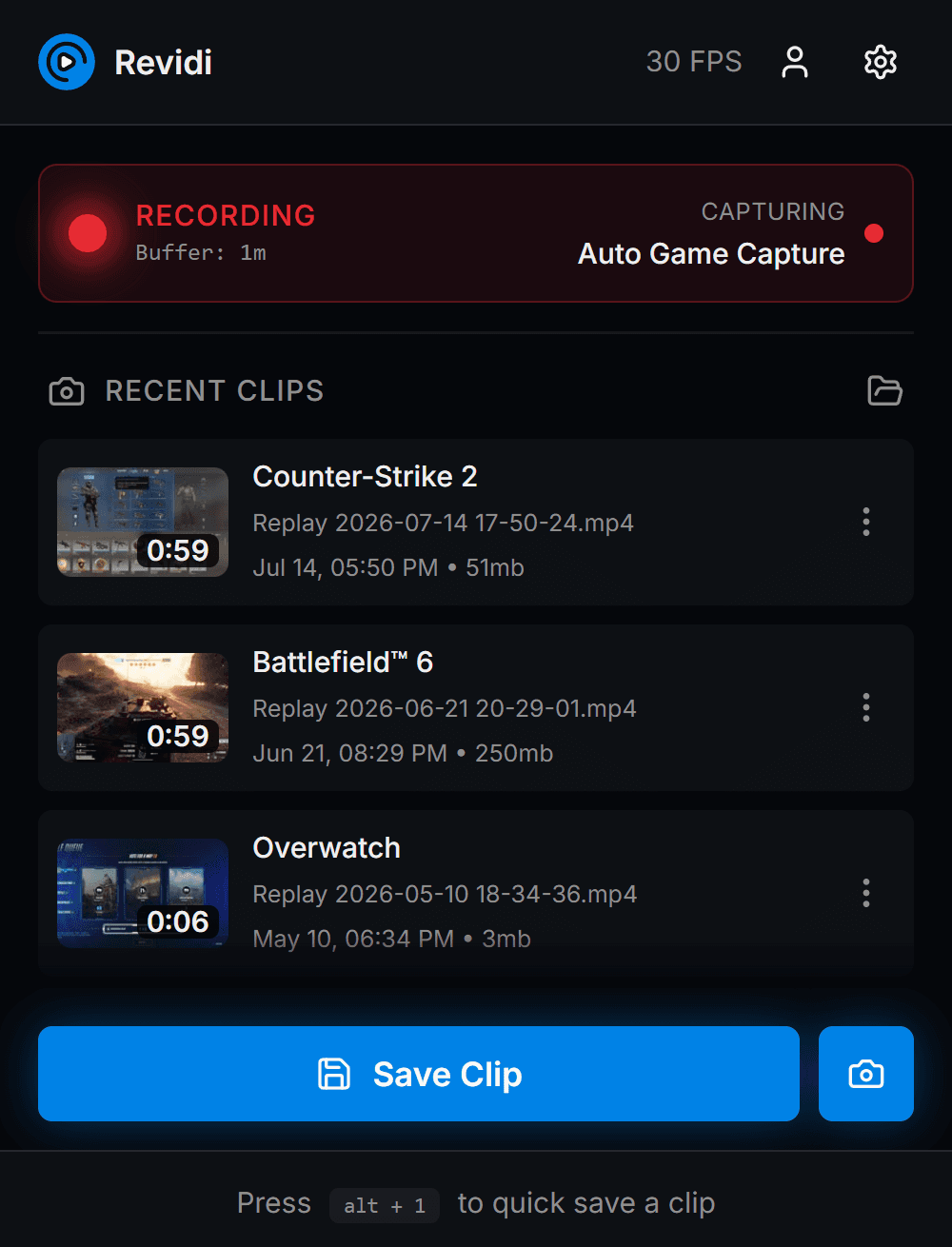
Revidi is a free game clip and screen recording app for Windows. Powered by OBS, it keeps a rolling replay buffer of your screen and audio. Just hit one hotkey to save the moment.
Available for Windows 10/11.
An alternative to NVIDIA ShadowPlay, AMD ReLive, SteelSeries Moments, and Medal.tv.
https://revidi.app/c/u7Kq2
Revidi Clip
Overwatch · 13s
Snip the
boring parts.
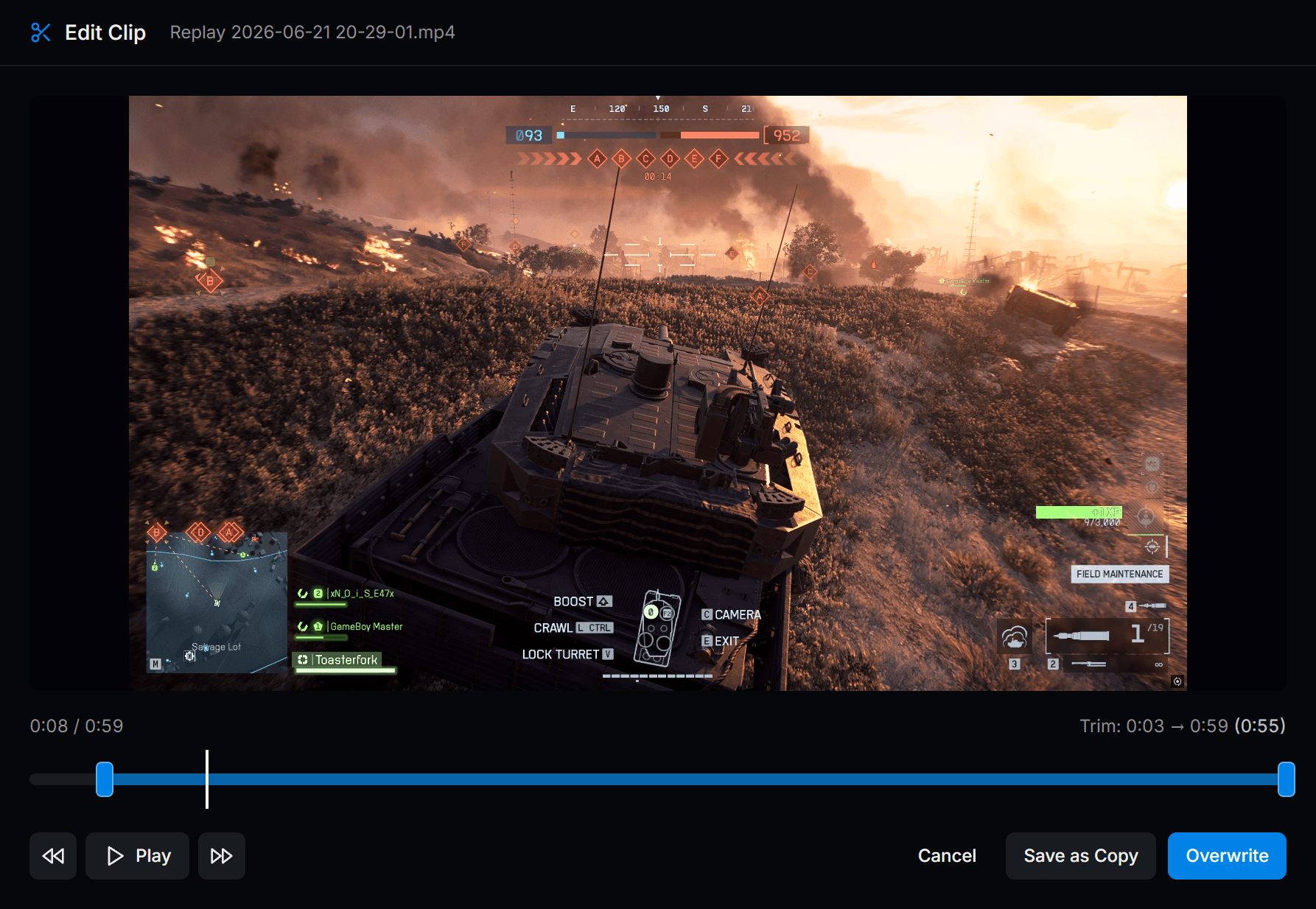
A built-in clip editor for the 22 seconds that actually matter.
Drag the handles. HitOverwriteand your edited clip is immediately available in the cloud.
Game clip software that stays out of the way.
Auto game capture
Revidi keeps a silent buffer of your screen and audio at native resolution. Auto Capture hooks into any fullscreen game the moment it launches and is ready to save a clip at the length you've configured.
One-key save
Bind your own hotkey. Revidi instantly saves your clip as an MP4 to your Videos folder.
Paste-ready links
The share URL lands in your clipboard before the save notification fades. Drop it in Discord, Slack, or a tweet, and every clip previews inline automatically.
Instantly edit and reupload
Open any saved clip in the built-in editor, trim it to the moment that actually matters, and save. The edit is uploaded in place, so the link you already pasted in Discord just keeps working.
Clip your gameplay in four steps.
Launch and forget
Revidi starts with Windows, lives in the tray, and begins buffering the moment you log in.
Hit the hotkey
Press alt+1 (or whatever you bound) to save your clip-worthy moment.
Trim your clip
Drag the trim handles to the moment that mattered and hit Overwrite. The trimmed version replaces the original everywhere.
Paste the link
The clip auto-uploads in the background and share URL is automatically added to your clipboard. ctrl+v into Discord and keep playing.
https://revidi.app/s/z8k-4qeSimple pricing, no surprises.
Basic
Everything you need to start clipping.
- Save unlimited clips locally
- Save 3 clips to the cloud
- Edit up to 3 clips
Premium
For creators who share everything.
- Save unlimited clips locally
- Save unlimited clips to the cloud
- Edit unlimited clips
- 150 GB of cloud storage
- More features coming soon
Secure checkout via Stripe
Ready to rewind your screen?
Download Revidi for free and start capturing your best gaming moments today.
Free to use. No account required.